

A smooth login sets the tone for your session. With Quatro Casino, Kiwi players may access quickly with Google or Facebook, cutting down time and reducing passwords. This guide covers registration, verification, security, and recovery so you can play confidently as soon as you arrive at our login page.
Typical Login Problems and Their Solutions
The most frequent issue is trying to log in with the incorrect method. If you registered with Google, you must click “Log in with Google.” Typing your Gmail address and a password into the standard form will not work because no separate password exists. Always use the specific button that matches your sign‑up method.
Browser issues can also block access. Clear your cache and cookies, or try an incognito window. Use a compatible browser like Chrome, Firefox, Safari, or Edge. If you use a VPN, disable it temporarily, as some connections may trigger location checks. If you see an “account locked” message, wait 30 minutes or contact support to verify your identity.
When to Reach Customer Support
If you have tried the steps above and still cannot log in, our support team is available around the clock. Reach out via live chat or email and provide the email address linked to your account. We can check for blocks, verify your identity manually, and help you regain access quickly. Never share your password with anyone, including support agents.
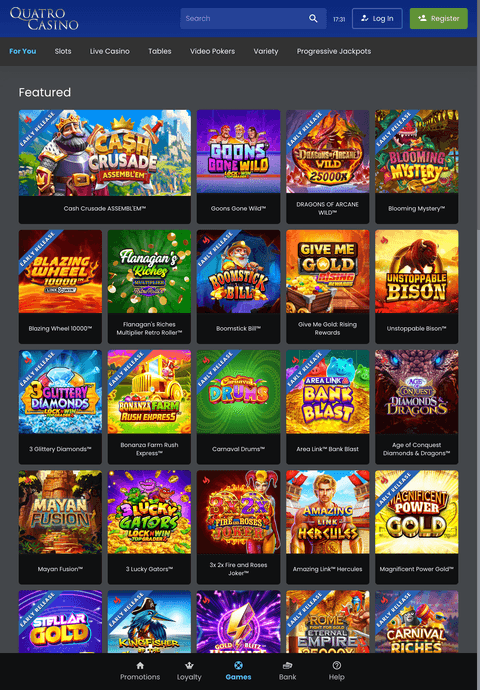
Using Google or Facebook to log into Quatro Casino gives you a fast, secure way to start playing without managing another password. We have built our platform to respect your privacy while meeting New Zealand’s regulatory expectations. Complete your verification early, enable two‑factor protection where available, and keep your social accounts secure. That way, every login is effortless, and you can focus on enjoying the games you love.
Safety Protocols That Safeguard Your Account
We employ industry‑standard encryption to protect data transferring between your device and our servers. Our login pages are shielded with TLS 1.3, and we enforce strict password policies for email‑based accounts. For social logins, security is managed jointly by us and your provider, so you gain from Google’s or Facebook’s robust infrastructure.
We watch accounts for unusual activity. If we spot a login from a new device or unfamiliar location, we may temporarily restrict the account and ask you to verify your identity via email. This blocks unauthorised access even if someone acquires your credentials. We recommend a unique, complex password if you select email registration.
2FA Options
Social logins rely on the two‑factor settings of your Google or Facebook account. If you registered with an email, you can activate two‑factor authentication through an authenticator app from your account security settings. We motivate all players to enable this feature for maximum peace of mind.
Restoring Your Password and Regaining Access
If you lose your email‑based password, click “Forgot Password?” on the login page. Type your email address, and we will send a reset link that times out promptly for security. Complete the instructions to set up a new password, then log in as usual.
For Google or Facebook login users, there is no separate Quatro Casino password to recover. You must reclaim access to your social account through that provider’s recovery process. Once you can log into Google or Facebook again, you will automatically access our site. If you are permanently locked out of your social account, contact support to migrate your casino profile to an email‑based login.
The method Google and Facebook Login Work on Our Platform
Social login uses the OAuth standard, so we don’t see your Google or Facebook password. You are directed to the provider’s secure page to authenticate. The provider then transmits us a token validating your identity. We associate that token to your Quatro Casino account and log you in immediately.
This method lowers credential theft because you don’t type a password on our site. It also enables you benefit from any security alerts or two‑factor authentication already set up on your social account. vetted source We firmly encourage enabling two‑factor authentication on your Google or Facebook profile for extra protection.
Which Data We Access and What We Do Not
During the first connection, Google or Facebook displays the permissions we ask for. We only seek your public profile and email address. We never post on your behalf, access your friend list, or read private messages. You can check and revoke these permissions anytime through your social account’s settings.
We process received data with the same strict privacy standards that govern all personal information on our site. Your social login details are encrypted in transit and at rest. We never share them with third parties for marketing. If you want to disconnect the social link, you can do so from your Quatro Casino account preferences.
KYC Process and Verification Obligations
New Zealand players are required to complete a Know Your Customer check before withdrawing funds. This legal requirement enables us prevent fraud and underage gambling. Even if you registered with Google or Facebook, you are still required to submit documents. We make the process as easy as possible.
Typically, we request a clear copy of a government‑issued photo ID, such as a passport or driver’s licence. We also require a recent utility bill or bank statement showing your name and address. In some cases, we could request proof of ownership for your payment method, like a screenshot of your e‑wallet or a photo of your credit card with middle digits hidden.
Timeframe for Verification
Once you upload documents through our secure portal, our compliance team examines them. Most verifications are completed within one to two business days. During busy periods, it could take slightly longer. We notify you by email as soon as your account is fully verified. Until then, you may deposit and play, but withdrawals remain pending.
Establishing Your Quatro Casino Account from New Zealand
Before opting for a social login, you require a registered account. Our sign‑up takes only a few minutes. You need to be at least 18 and situated in a location where online gaming is permitted. The initial form asks for essential details; age and identity checks occur later.
Head to our official New Zealand site and click “Join Now https://quatrocasino-nz.com/en-nz/login/.” The registration form provides three paths: sign up with Google, sign up with Facebook, or use an email address. If you pick a social provider, you will be sent to that platform to confirm the connection.
When you go with Google or Facebook, we retrieve only your name and email address. You still provide date of birth, phone number, and residential address right on our form. This hybrid approach keeps registration fast while providing us the data necessary for compliance and payouts.
Detailed Registration with a Social Account
After clicking the Google or Facebook button, a pop‑up asks you to log into that service unless you are already signed in. Once you provide permission, our system establishes a Quatro Casino account tied to that social identity. You then finish the remaining fields on our secure page.
We advise using a social account you log into frequently and that has strong security settings. If you eventually lose access to that profile, regaining your casino account could take extra time. Some players opt to register with email first, then link a social login from account settings.
Connecting a Social Account After Email Registration
If you created an account with an email, you can still add Google or Facebook login later. Access your account dashboard and search for “Linked Accounts.” Click the provider you desire to connect and carry out the authorisation steps. This enables you to log in with either method without generating a duplicate profile.
Common Questions
Can I switch from email login to Google or Facebook at a later time?
Absolutely. After logging in, go to account settings and find “Linked Accounts.” Choose the provider you want to connect and authorise the link. Following that, you can use both methods to sign in. We recommend keeping at least one backup login option enabled in case you lose access to your social account.
Does Quatro Casino post on my Facebook timeline if I use social login?
Not at all. We don’t post on your behalf or access your friend list. The permission we request is restricted to your public profile and email address. You can verify this on the consent screen during the first connection. Your social activity remains completely private and separate from your gaming account.
What documents do I need to verify my account as a New Zealand player?
You need a clear copy of a government‑issued photo ID, such as a passport or driver’s licence, and a recent utility bill or bank statement showing your name and address. In some cases, we may also ask for proof of your payment method. Upload these through our secure portal to complete the KYC process.
How much time does it take to withdraw after verification?
Once your documents are approved, withdrawal times depend on the payment method. E‑wallets are typically fastest, often processed within 24 hours. Bank transfers and card withdrawals may take three to five business days. We keep you updated by email at every stage of the process.
Is it safe to use Google or Facebook login for a casino site?
Yes, it is safe when the site uses OAuth, as we do. Your password is never disclosed with us. Security is based on your social provider’s infrastructure, which includes advanced encryption and optional two‑factor authentication. We suggest enabling two‑factor on your Google or Facebook account for added protection.
What should I do if I lose access to my Google or Facebook account?
Firstly, follow the recovery steps provided by Google or Facebook. If you regain access, you can log into Quatro Casino as before. If the loss is permanent, contact our support team immediately. We can help you migrate your casino account to an email‑based login after verifying your identity through alternative means.
Why am I seeing a location error even though I am in New Zealand?
Location errors can happen if you are using a VPN, proxy, or an internet connection that routes through another country. Disable any such services and try again. If the problem persists, clear your browser data and ensure your device’s location services are enabled. Contact support if the issue remains.
